
Are Your Files Secure with Microsoft Office 365 or Cloud Practice Management Providers?
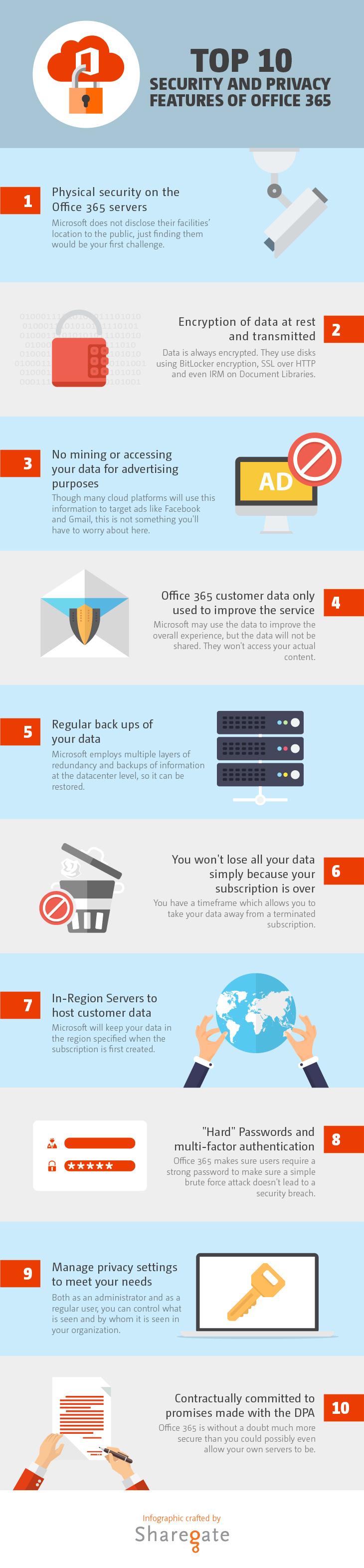
Wondering whether your files are secure with Microsoft Office 365 since it’s in the cloud? Consider this infographic, which outlines some of the safety and security features inherent in Office 365, including the security of the servers, encryption of data, regular backups, and multi-factor authentication:
Keeping Data Secure with Cloud Practice Management Software
First, you’ll want to know whether you will be able to retrieve your firm’s and clients’ data from the provider directly, without needing to contact the company or obtain their assistance in doing so, in case the provider goes out of business, or even just for your own backup purposes. You will also want to know whether the data will retain internal links or connections, such as connections between the client and all matters you handle for the client.
Carefully review the service agreement with any potential cloud practice management provider. Ask specific questions about the provider’s security protocols. For more specifics, download my data protection checklist for cloud-based practice management software here.